Lenovo has introduced Qira, a new AI voice assistant designed to operate across multiple device categories, including personal computers, smartphones, and wearable technology. The announcement was made during CES 2026, where Lenovo outlined its strategy to integrate AI more deeply into everyday consumer and enterprise devices.
Qira is a hybrid assistant that combines on-device processing with cloud-based intelligence, aiming to deliver faster responses, improved privacy controls, and consistent performance across different hardware platforms. Read More
Lenovo Defines the Next Era of Hybrid AI with Personalized, Perceptive, and Proactive AI Portfolio at Tech World @ CES 2026
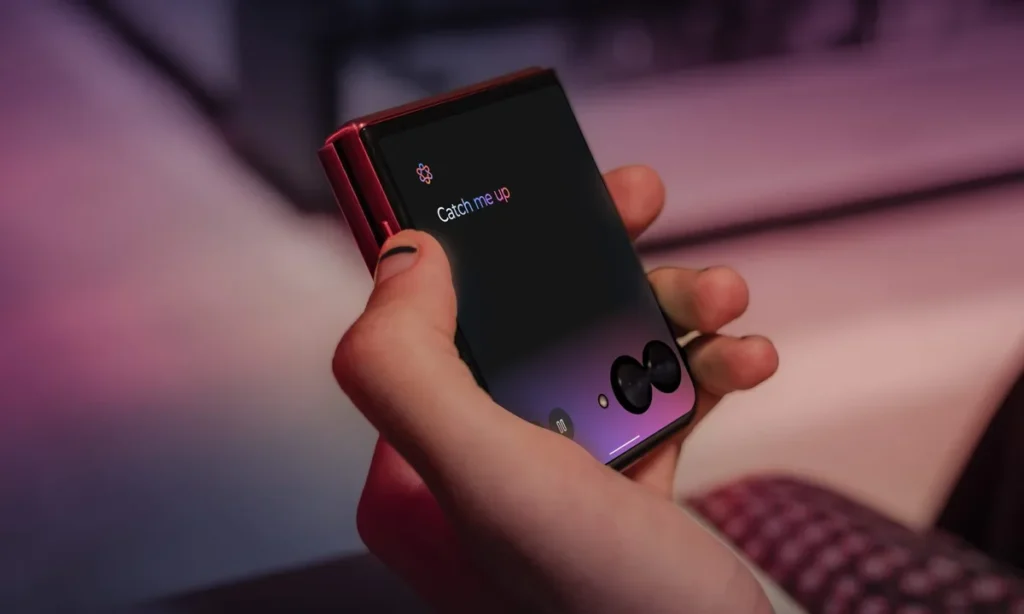
Hybrid AI Architecture Balances Performance and Privacy
At the core of Qira is a hybrid AI architecture that allows tasks to process locally on the device when possible, while more complex operations are handled through cloud infrastructure. Lenovo stated that this approach reduces latency for common commands such as voice controls, system navigation, and basic productivity tasks.
On-device processing also allows Qira to function during limited or unstable internet connectivity. This design supports use cases such as offline dictation, device control, and contextual reminders. When connected to the cloud, Qira can access advanced natural language processing, content summarization, and cross-device synchronization.
Lenovo emphasizes that data handling is to align with regional privacy requirements, giving users more control over what information remains on their devices versus what to processed remotely.
Designed for a Unified Multi-Device Experience
Qira aims to operate consistently across Lenovo’s ecosystem of PCs, smartphones, tablets, and wearables. The assistant can manage tasks that move between devices, such as starting a note on a laptop and continuing it on a smartphone, or receiving notifications on a wearable while working on a PC.
Voice commands allow users to manage system settings, launch applications, search documents, and control connected devices. Lenovo also highlighted Qira’s ability to adapt to different form factors, adjusting interaction methods based on whether the user is speaking through a headset, smart glasses, or a desktop microphone.
This cross-device design reflects Lenovo’s broader push toward unified AI experiences rather than standalone assistants tied to a single product category.
Enterprise and Developer Focus
In addition to consumer use, Lenovo is positioning Qira as a productivity tool for enterprise environments. The assistant can support meeting summaries, task management, and workflow automation when integrated with business software platforms.
Lenovo confirmed that Qira will support APIs and development tools, allowing partners and enterprises to customize capabilities for specific industries. Potential use cases include customer support tools, field service applications, and accessibility solutions for users with visual or mobility challenges.
By opening the platform to developers, Lenovo aims to expand Qira beyond core system functions and encourage innovation across both consumer and professional markets.
Hybrid AI Assistant Combining Local Intelligence with Cloud Scale
The introduction of Qira reflects a broader shift in the technology industry toward hybrid AI assistants that combine local intelligence with cloud scale. As users demand faster responses, stronger privacy controls, and seamless experiences across devices, manufacturers are rethinking how to deploy AI is at the system level. Lenovo’s approach highlights how voice assistants are evolving from simple command tools into integrated AI layers that connect hardware, software, and services across the entire device ecosystem.