
Remember when automation meant hiring a developer, waiting three months, and getting a brittle system that broke every time someone sneezed? Those days are over. AI workflow automation tools have completely changed the game, replacing fragile scripts with systems that understand intent, adapt to messy data, and operate the way real businesses actually work.
I’ve spent the last six months testing every major AI automation platform I could get my hands on. Some were incredible. Others went straight to the “why does this exist” pile. Here’s what actually works and which tools are worth your time in 2026.
How AI Workflow Automation Tools Works?
Traditional automation was like that friend who’s helpful but incredibly rigid. Everything had to be perfect, or the whole thing fell apart. Wrong format on a CSV file? System crashes. Customer asks a question slightly differently? No clue what to do.
AI automation is different. It reads context, handles weird edge cases, and figures things out even when the situation isn’t textbook perfect. According to McKinsey’s latest report, companies using AI automation are cutting operational costs by 25-40% while getting work done 60-80% faster.
Best AI Automation Tools that I Tested
Zapier: The Best Friend for Automation Newbies

Why I like it: If you’ve never built an automation before in your life, start here. Seriously.
Zapier connects to over 7,000 apps. Your CRM, your email, your project management tool, that weird niche app your marketing team swears by. It’s all there. The AI-powered Zap Builder lets you describe what you want in plain English: “When someone fills out my contact form, add them to Mailchimp and send me a Slack notification.” Boom. Zapier builds the whole workflow for you.
I watched our operations manager, who describes herself as “not a tech person”, build three working automations in under an hour. No tutorial. No help from IT.
Real example: Our sales team uses Zapier to automatically add every new Stripe customer to HubSpot, send them a welcome email, and create a Slack thread for their account. What used to take 15 minutes of manual work per customer now happens instantly.
Pricing: Free tier (100 tasks/month), Starter $19.99/month (750 tasks), Professional $49/month (2,000 tasks).
The catch: Can get expensive at scale. Not ideal for super complex conditional logic.
Perfect for: Small to medium businesses, non-technical teams, anyone who needs automation working by tomorrow.
Make.com: When Your Workflows Get Complicated
Why I like it: Remember how I said some people outgrow Zapier? This is where they end up.
Make.com shows your workflow as a flowchart, which is awesome when you’re building something with five decision points and ten different outcomes. The AI features are subtle but clever, it automatically suggests which fields should map between apps and predicts where your workflow might fail before you even run it.
Real example: Our finance team built a workflow that pulls invoices from three vendors, compares them to purchase orders, flags discrepancies, routes approvals based on amount and department, then pushes everything to QuickBooks. In Zapier, that would’ve been a nightmare. In Make, it took an afternoon.
Pricing: Free tier (1,000 operations/month), paid plans from $9/month. Way cheaper than Zapier for complex stuff.
The catch: Steeper learning curve. Not as beginner-friendly.
Perfect for: Operations teams running 50+ automations, anyone dealing with complex approval chains.
n8n: For the Developers Who Want Total Control

Why I like it: This one’s not for everyone. But if you have developers on your team, n8n is ridiculously powerful.
It’s visual like the others, but you can customize any step with JavaScript. The real game-changer is the self-hosted option. You can run everything on your own servers, which means your data never leaves your infrastructure. For healthcare, financial services, or anyone dealing with sensitive information, that’s huge.
Real example: Our engineering team uses n8n to orchestrate the entire deployment pipeline. Code commits trigger automated tests, security scans, staging deployments, and Slack notifications, all customized with JavaScript for our specific needs.
Pricing: Free if you self-host. Cloud version starts at $20/month.
The catch: You need technical skills. No way around it.
Perfect for: Technical teams, companies with strict data residency requirements.
Bardeen: The Browser Automation Wizard
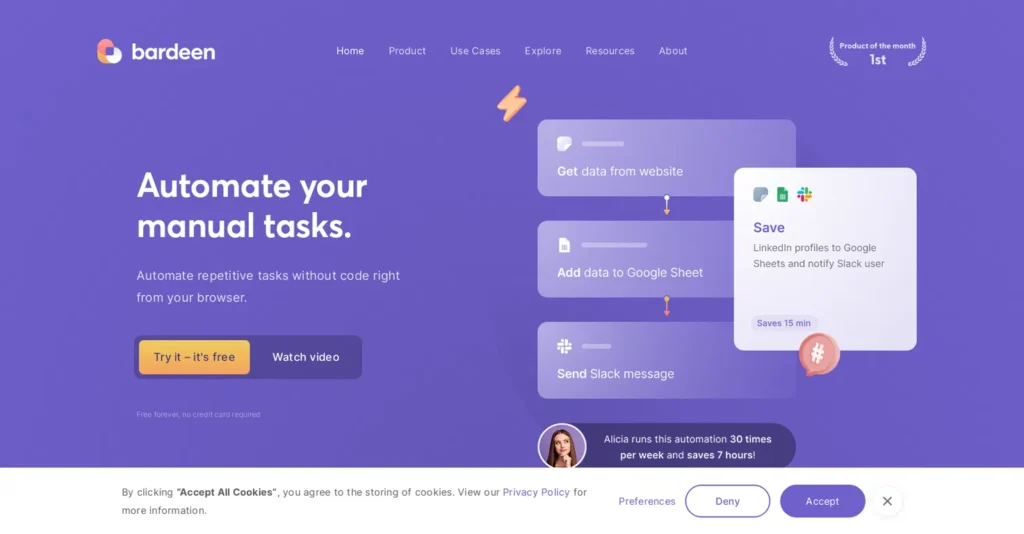
Why I like it: Most automation tools connect apps through APIs. Bardeen works directly in your browser.
It’s a Chrome extension that automates anything you do in web apps. Copying data from LinkedIn to your CRM? Automated. Pulling company info from websites into spreadsheets? Automated. The AI can understand commands like “Find everyone who works at Stripe in San Francisco and add them to this spreadsheet with their job titles.”
Real example: Our marketing team uses Bardeen for competitor research. It automatically scrapes competitor websites, extracts blog posts, summarizes content, and compiles everything into a shared spreadsheet. What used to take hours every week now runs in the background.
Pricing: Free tier (100 credits), Professional $15/month (500 credits).
The catch: Limited to browser-based tasks. Credits run out faster than you’d expect with heavy AI operations.
Perfect for: Marketing teams, sales researchers, and anyone doing competitive intelligence.
Workato: The Enterprise Powerhouse
Why I like it: If you’re running a Fortune 500 company, this tool is for you.
Workato isn’t trying to be the cheapest or easiest. It’s the most reliable, secure, and compliant automation platform available. 99.9% uptime SLA, SOC 2 certified, HIPAA compliant, works with massive enterprise systems like SAP and Oracle.
Real example: A friend at a large healthcare company uses Workato to automate patient data flows between their EHR system, billing platform, and insurance verification tools. Millions of records, strict HIPAA requirements, zero room for error.
Pricing: Custom (starts around $12,000 annually for mid-market, $50,000+ for enterprise).
The catch: Overkill and overpriced for small businesses. Needs dedicated admin resources.
Perfect for: Large enterprises, heavily regulated industries, companies running 100+ mission-critical automations.
Relay.app: When Humans and AI Need to Work Together

Why I like it: Most automation tools assume you want everything on autopilot. Relay assumes humans and AI should collaborate.
The concept is simple: AI handles grunt work, humans make important decisions. An automation might draft a social media post using AI, then pause and ask “Does this look good?” before posting. These human checkpoints prevent classic automation disasters.
Real example: Our content team uses Relay for approvals. AI drafts social posts based on blog articles, suggests posting times, generates image ideas. Then it sends everything to our content manager for one-click approval, editing, or rejection.
Pricing: Free tier (unlimited workflows, 100 runs/month), Starter $10/month, Pro $24/month.
The catch: Smaller integration library (200 apps). Newer platform, some features aren’t as polished.
Perfect for: Teams wanting AI assistance but not full automation, workflows requiring approvals.
Quick Comparison: Which Tool Should You Pick?
| Tool | Best For | Starting Price | Apps | Learning Curve | AI Features |
| Zapier | Beginners | Free | 7,000+ | Easy ⭐ | Plain English workflow builder |
| Make.com | Complex logic | Free | 1,500+ | Moderate ⭐⭐ | Smart mapping, error prediction |
| n8n | Developers | Free | 400+ | Advanced ⭐⭐⭐ | Custom JavaScript AI nodes |
| Bardeen | Browser work | Free | 100+ | Easy ⭐ | AI web scraping, NLP commands |
| Workato | Enterprise | $12K+/year | 1,200+ | Advanced ⭐⭐⭐ | Recipe AI, smart suggestions |
| Relay.app | Collaboration | Free | 200+ | Easy ⭐ | Document AI, human-in-loop |
My honest advice:
- On a budget? Start with Zapier, Make.com, or Relay.app free tiers
- Technical team? Go with n8n for full control
- Lots of research? Bardeen is a game-changer
- Big company? Workato is worth the investment
- Need approvals? Relay.app nails this
How You Can Make Money?
Let me share where I’ve seen the biggest returns.
Customer Support (The Obvious Winner)
Support teams see results almost immediately. We set up workflows that read tickets, determine urgency, route to the right team, and suggest responses based on our knowledge base.
Our response time dropped 40%. Same team, way better results. Gartner’s research backs this up, companies using AI workflow automation report 3.5x ROI within 12 months, with support teams seeing the fastest payback.
Marketing (More Output, Same Team)
Our marketing team uses AI workflows to research topics, generate briefs, draft social posts, schedule everything, and analyze performance. They’re publishing 3x more content with the same number of people.
Is every AI-generated draft perfect? No. But getting from zero to a solid first draft in minutes instead of hours changes everything.
Sales (Less Admin, More Selling)
We built workflows that automatically enrich new leads, score them based on fit, assign them to reps, and send personalized emails. Our reps spend their time actually talking to qualified prospects instead of updating Salesforce.
Operations (The Hidden Goldmine)
Invoice reconciliation. Expense approvals. Inventory monitoring. Report generation. When you automate 50 small things, you suddenly have a team that operates like it’s twice as large.
The No-Code Revolution
Here’s something I’ve noticed: five years ago, if you wanted custom automation, you needed developers. Today, the operations manager builds workflows herself.
Research from Forrester shows that 68% of business users can now build automations on their own, up from just 12% in 2021. That’s a fundamental change in who controls productivity tools.
When the people closest to the problem can build the solution themselves, everything moves faster. No more waiting for engineering. Just prototype it, test it, and ship it.
How to Choose the Best AI Workflow Automation Tools?
Ask yourself these questions:
What’s your biggest pain point? If it’s drowning in support tickets, focus on tools that excel at intake and routing. If it’s sales data entry, prioritize CRM integrations. Start with the problem, not the tool.
How technical is your team? Be honest. If your team thinks Excel formulas are advanced, don’t pick n8n. If they’re comfortable with code, don’t limit yourself to the simplest option.
What’s your budget? Free tiers are great for testing, but factor in real costs at scale. A tool that costs $9/month but takes weeks to set up might be more expensive than one that’s $49/month but works in a day.
What do you already use? Check integration lists before falling in love with a platform. If it doesn’t connect to your CRM, it’s not the right tool.
Don’t evaluate based on features. Evaluate based on outcomes. Can you actually build what you need in a reasonable time? Does it work reliably? Those matter way more than 47 types of conditional logic.
Alright, Time to Actually Do This
Look, I could keep writing about automation theory forever. But that’s not helpful. What’s helpful is that you are actually trying this.
Here’s my recommendation:
If you’re brand new: Sign up for Zapier’s free tier today. Pick one annoying manual task you do every week. Build an automation for it. Total time investment: one hour.
If you want to get serious: Grab Make.com for complex workflows, or Bardeen if you do browser-based work. Build 3-5 automations in your first week. Track the time saved. Calculate ROI.
If you’re technical: Download n8n and self-host it. Connect your internal systems. Build something custom.
If you’re running an enterprise: Talk to Workato. Get a real demo with your actual use case.
Need Help in Choosing the Right AI Automation Tools?
Automation isn’t coming. It’s here. The companies winning right now figured this out six months ago. Don’t wait another six months to start.
Pick a tool. Build something. See what happens. What you can’t get back is the time you waste doing manual work that could’ve been automated.