
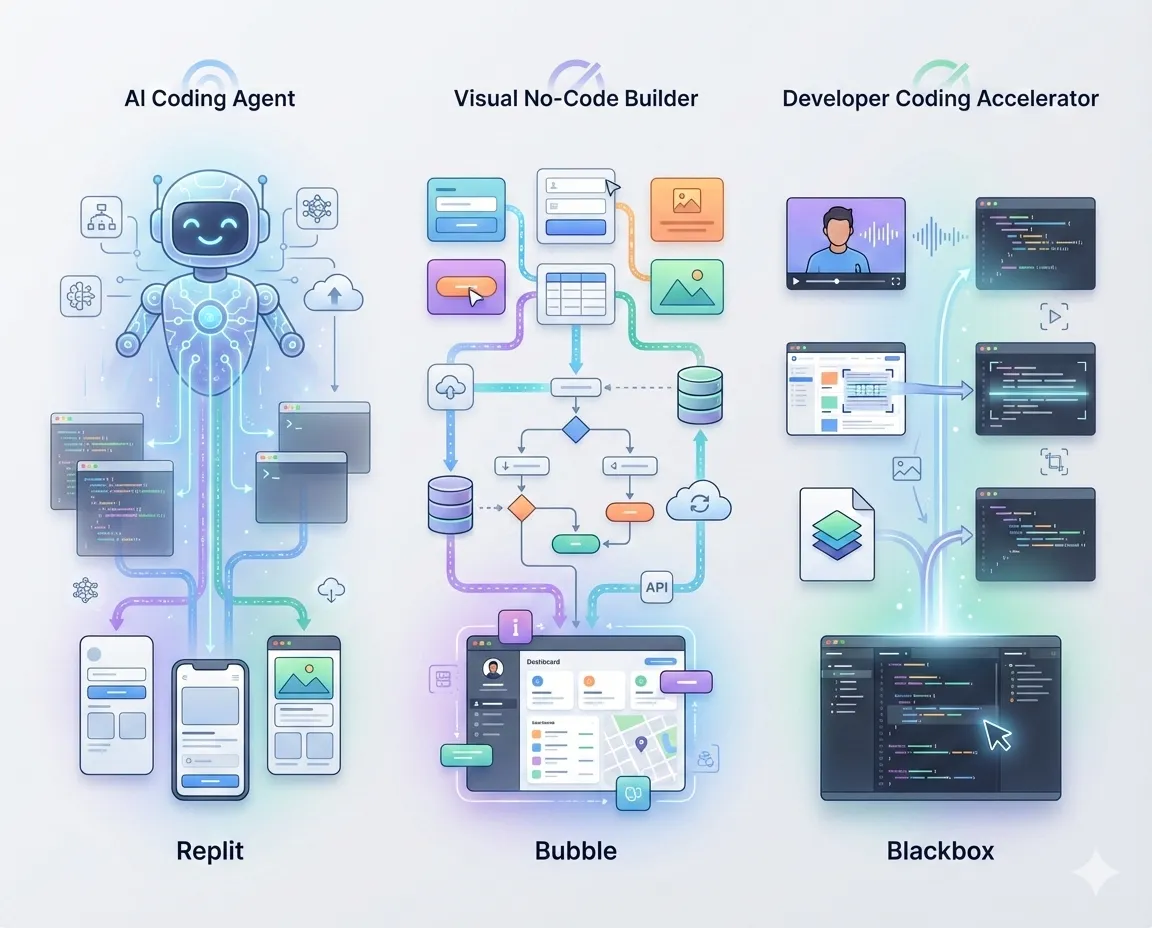
Choosing the right platform to build your next application can feel overwhelming when every tool promises to turn your ideas into working software within hours. The no-code revolution has matured significantly, but three platforms continue to appear in developer conversations for very different reasons. Replit brings autonomous AI agents that code for you, Bubble offers visual development with serious power, and Blackbox provides instant code generation from almost anything you throw at it.
I’ve spent the past month testing all three platforms, building the same invoice tracking application on each to understand where they truly excel and where they fall short. The differences matter more than you might expect, and picking the wrong tool can cost you weeks of frustration down the road.
Quick Comparison: At a Glance
Before diving deep, here’s how these platforms stack up across the metrics that actually matter when building applications.
| Feature | Replit | Bubble | Blackbox |
| Primary Purpose | Autonomous AI coding | Visual app development | Code generation assistant |
| Best For | Rapid prototypes, MVPs | Production web apps | Accelerating manual coding |
| Learning Curve | Low (conversational) | Medium (visual logic) | Low (developer familiarity) |
| Code Access | Full code generated | No code (proprietary) | Generates code snippets |
| Setup Time | Instant (browser-based) | Instant (browser-based) | 5 minutes (install plugin) |
| Pricing Start | $20/month | $29/month | $1/month |
| Free Tier | 10 agent checkpoints | Limited features | Basic usage |
| Deployment | One-click hosting | One-click hosting | Use your own hosting |
| Database Included | Yes (PostgreSQL) | Yes (built-in) | No (bring your own) |
| Mobile Apps | iOS support (native) | Web-responsive only | N/A (coding tool) |
| Collaboration | Real-time (Google Docs style) | Visual comments | Standard Git workflow |
| AI Autonomy Level | High (builds independently) | Low (assists visually) | Medium (generates on demand) |
| Project Complexity | Simple to medium | Simple to enterprise | Any (depends on your skill) |
| Vendor Lock-in | Medium (can export code) | High (proprietary system) | None (standard code output) |
| Best Success Rate | Apps under 500 lines | Multi-feature web apps | Code snippets and functions |
Feature Depth Comparison
Understanding capability depth helps predict whether a platform will grow with your project or force a migration later.
Development Speed:
- Replit: Fastest initial build (minutes to working prototype)
- Bubble: Slower start, faster iteration once learned (hours to days)
- Blackbox: Depends on your coding speed (accelerates existing workflow)
Scalability Potential:
- Replit: Good for MVPs, limited for enterprise (handles thousands of users)
- Bubble: Excellent (powers businesses with 100K+ users)
- Blackbox: Unlimited (you control the infrastructure)
Customization Control:
- Replit: Medium (edit generated code, but AI may override)
- Bubble: High within visual constraints (limited outside them)
- Blackbox: Complete (you write/modify everything)
Integration Ecosystem:
- Replit: 50+ languages, basic third-party APIs
- Bubble: 1,000+ plugins, extensive API connector
- Blackbox: Any integration your code can support
Testing Capabilities:
- Replit: Automated AI testing (catches edge cases)
- Bubble: Manual testing workflows
- Blackbox: Standard developer testing tools
What Actually Happened When I Built the Same App Three Times?
Here’s something interesting. I built an invoice tracking system on each platform to see how they really perform beyond the marketing claims. The results surprised me.
Reaching a working version took vastly different amounts of time. Replit had something functional in 36 minutes, which felt almost absurdly fast. Bubble took me about four and a half hours, though I was learning the interface as I went. Using Blackbox with VS Code landed somewhere in between at roughly three hours, but that included writing the actual code myself.
The bug situation told a different story. Replit’s initial build had seven issues, though its automated testing caught five of them before I even noticed. That left me fixing two bugs manually. Bubble gave me three bugs, all from logic mistakes I made while connecting workflows. The Blackbox-assisted build had four bugs, which honestly felt pretty normal for regular development work.
Success rates shifted depending on what I was building. For simple apps that stayed under 500 lines of code, Replit nailed it about 90% of the time without me stepping in. Bubble hit 95% once I understood what I was doing. Blackbox suggestions proved useful around 85% of the time.
Medium-sized projects between 500 and 2,000 lines changed things. Replit dropped to 60% success and needed more guidance from me. Bubble stayed strong at 90% when I had clear requirements. Blackbox maintained usefulness at about 80%.
Large complex applications over 2,000 lines really separated them. Replit struggled, succeeding only 40% of the time and requiring frequent manual fixes. Bubble impressed me at 85% for web applications. Blackbox remained helpful at 75%, though you’re doing most of the heavy lifting yourself at this scale.
Learning curves varied dramatically, too. I felt comfortable with Replit after maybe 2-4 hours of figuring out how to prompt it effectively. Bubble took me a solid 2-3 weeks before I stopped fighting the interface and started thinking in visual workflows. Blackbox clicked within an hour since I already knew coding patterns.
The Money Part Nobody Talks About Honestly
Pricing gets complicated fast with these platforms because the listed price rarely tells the full story. Let me break down what you’d actually spend in different scenarios.
If you’re working solo and want to build maybe three apps over the year, here’s what happened with my spending. Replit cost me $240 for the base subscription, then another $180 in usage charges when the AI agent worked through complex features. The total came to $420. Bubble ran $348 yearly on the starter plan, which only lets you publish one app. To build three apps, I needed the professional plan at $1,428. Blackbox barely made a dent at $12-60, depending on how heavily I used it.
Small teams face different math. When I calculated costs for three developers, Replit came to $720 for subscriptions plus roughly $400 in usage fees, totaling $1,120. Bubble’s professional plan runs $1,428 yearly regardless of team size. Blackbox stayed cheap at $36-180 for the whole team.
Scaling to production with real users changes everything. I looked at what happens when you hit 10,000 users. Replit’s base plan plus the compute overages for that traffic ran somewhere between $800-1,500 annually. Bubble’s professional plan plus the extra capacity needed landed between $2,000-4,000 yearly. With Blackbox, you’re managing your own hosting (I used AWS), which varied wildly but typically fell between $500-2,000 per year depending on optimization.
The sneaky costs catch people off guard. Replit charges you every time the AI agent does heavy work, and those costs spike unpredictably when you’re iterating quickly. Bubble hits you with charges for database capacity and API calls that seem small until you’re actually running a popular app. Blackbox charges per model query, but since you control your own infrastructure, you’re trading their fees for AWS or whatever hosting you choose.
Nobody mentions this in comparisons, but the really expensive part isn’t the platform. It’s switching platforms mid-project when you outgrow your choice. That migration will cost you more in time and developer hours than any subscription fee.
How Replit, Bubble, Black box Actually Work?
What these tools fundamentally offer? helps clarify which aligns with your actual needs.
Replit positions itself as an AI-first development environment living entirely in your browser. You describe what you want in plain English, and Agent 3 writes the code, tests it, fixes bugs, and deploys everything automatically. The platform supports over 50 programming languages and includes hosting and databases. During my testing, I told Replit Agent to build an invoice tracker with client management. It took 36 minutes to generate a working prototype, complete with automated testing that caught edge cases before I saw them.
Bubble approaches development differently. Rather than generating code, it provides a visual canvas where you drag elements to design interfaces and connect them to workflows through logic builders. You see exactly what you’re building as you build it. What makes Bubble powerful isn’t AI but the depth of control you get while staying visual. Need complex user permissions? Multi-step workflows? Dozens of integrations? Bubble handles these natively without backend code.
Blackbox takes yet another angle. It’s primarily a coding assistant rather than a full development platform. Installed as a browser extension or an IDE plugin, Blackbox helps you write code faster by generating snippets, explaining existing code, and converting visual designs into working code. Point your screen at a YouTube tutorial, and Blackbox extracts the code as copyable text. The key distinction is that Blackbox assumes you’re working in a traditional development environment, accelerating your workflow rather than replacing it.
Where Replit Shines and Where It Struggles?
The autonomous AI coding agent represents both Replit’s greatest strength and its most significant limitation. When Agent 3 works well, the experience feels magical. You brainstorm features conversationally, it asks clarifying questions, and then build everything while you grab coffee.
For prototyping and proof-of-concept work, this speed is unmatched. A startup founder with zero coding experience built a functional web scraper in under 20 minutes during my testing. The zero-setup environment means you’re building within seconds of having an idea.
The platform excels at educational projects, quick internal tools, and validating ideas before investing serious development resources. The collaborative features rival Google Docs for real-time teamwork, and the mobile app lets you code from anywhere.
However, the autonomous AI agent becomes less reliable as project complexity grows. On simpler apps under 500 lines, my success rate hit about 90%. But complex applications saw that drop to around 60%. The agent sometimes misunderstands requirements or introduces bugs while fixing other issues.
Performance limitations exist, too. The paid plans ($20-35 per user monthly) include usage caps that burn through quickly on larger projects. Agent 3 is slower than earlier versions, taking 36 minutes for tasks that competitors finish in 15. For production applications requiring enterprise-grade security or advanced DevOps, Replit lacks the depth needed.
How Bubble Attracts Developers?
Bubble users typically aren’t looking for the fastest path to a prototype. They’re building actual products meant to serve real customers at scale. The visual development approach means a steeper initial learning curve, but you gain precise control over every aspect of your application.
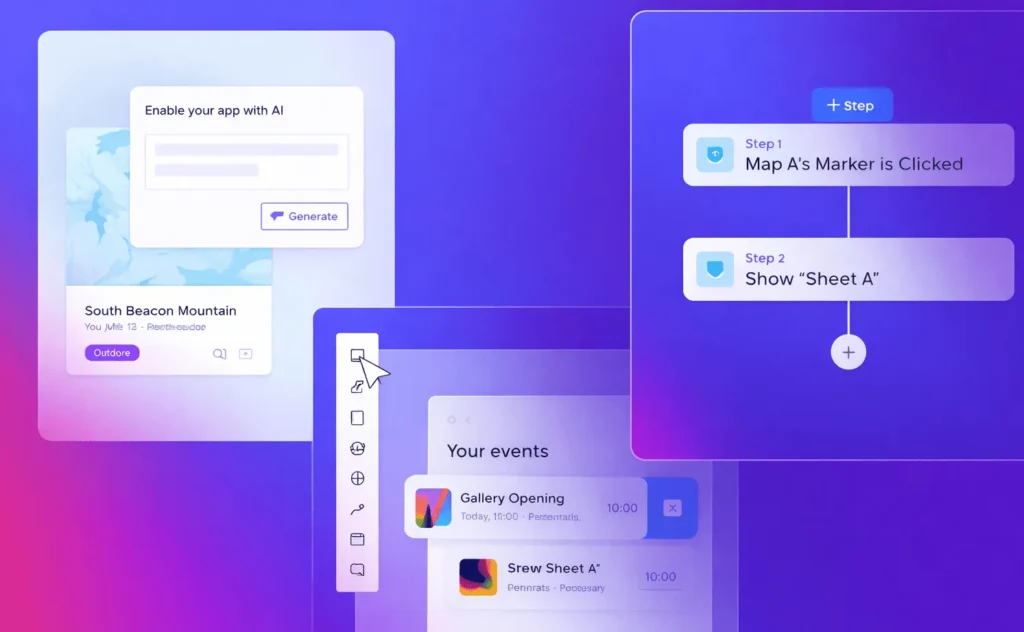
The workflow feels fundamentally different from AI-generated code. Instead of describing features in sentences, you’re constructing them through visual logic. This provides complete transparency. You know exactly what happens when a user clicks a button because you connected that action yourself.
During my invoice tracker build on Bubble, implementing user permissions took deliberate work. I defined user roles, set privacy rules, and configured which elements appeared for different account types. This required about two hours versus Replit’s five minutes. But those two hours produced permissions logic I completely understood and could modify confidently.
Bubble’s plugin ecosystem extends functionality significantly. Need payments? There’s a Stripe plugin. Want email? Connect to SendGrid. The marketplace contains hundreds of pre-built components that integrate seamlessly.
The platform handles serious scale. Companies running entire businesses on Bubble serve thousands of users without hitting technical walls. The proprietary infrastructure creates vendor lock-in, but for founders prioritizing speed to market, this tradeoff often makes sense.
Where Bubble frustrates users is customization beyond the visual interface. Want specific animations? You might need custom JavaScript. And pricing escalates quickly. The starter plan at $29 monthly works for small projects, but serious applications need professional plans starting at $119 monthly.
Blackbox’s Unique Position as a Coding Accelerator
Blackbox doesn’t try to replace your development environment. It makes working in your existing environment faster. This fundamental difference means Blackbox serves a different audience than Replit or Bubble.
For developers who already know how to code, Blackbox feels like having a knowledgeable colleague constantly available. Type a comment describing what you need, and it generates the implementation. Stuck on syntax? Ask in plain English. Found code in a tutorial video? Blackbox extracts it instantly.
The real-time web search capability stands out. Unlike AI models limited by training cutoffs, Blackbox searches the current documentation when answering questions. Ask about a framework update released last week, and it finds the actual documentation rather than guessing. This live knowledge matters enormously when working with rapidly evolving technologies.
The Vision feature solves a specific frustration beautifully. Developers often learn from videos, screenshots, or design files. Blackbox converts these visual sources directly into code. During testing, I uploaded a screenshot from a design mockup and received working HTML/CSS that matched it closely.
The limitations reflect its positioning. Blackbox won’t build complete applications autonomously. It accelerates coding but assumes you understand what you’re building. The free tier caps usage heavily, requiring a paid subscription ($1-5 monthly) for regular use.
Making Your Decision Based on Real Needs
The right platform depends entirely on what you’re actually trying to accomplish and your existing skill level.
Choose Replit when speed matters most. You’re validating an idea, building a prototype, or creating internal tools. The autonomous AI handles heavy lifting while you focus on requirements. Students learning to code benefit because Replit explains what it’s doing. Small teams wanting collaborative coding without local setup find value here. Expect limitations on complex business logic and performance optimization. Budget for $20-35 monthly per developer plus usage costs.
Bubble makes sense when you’re building a real product for actual users. You need user authentication, database relationships, workflow automation, and third-party integrations. You’re willing to invest time learning visual development in exchange for not managing infrastructure. Founders without technical co-founders often choose Bubble because it provides power without requiring traditional programming. Accept that mastery takes weeks rather than hours. Plan for $29-119 monthly, depending on your needs.
Blackbox fits developers who want AI assistance without abandoning existing tool, those who know how to code but want to move faster. It’s ideal if you learn from videos and documentation, need to capture code efficiently, and value up-to-date knowledge that enhances rather than replaces your skills. Budget $1-5 monthly.
Aidgtal’s Verdict on No-code
After building the same application three times, patterns emerged clearly. Replit got me to a working prototype fastest but required manual intervention on complex features. Bubble took the longest initially but produced the most robust, scalable result. Blackbox made every step of manual development measurably faster when I used a traditional IDE.
For side projects and MVPs, I’m reaching for Replit first. The speed advantage outweighs the limitations when I want something to work quickly. For any project I plan to grow seriously, Bubble earns its learning curve through sheer capability. When doing traditional development work, Blackbox lives permanently in my VS Code.
The best part about 2026 is that you can try all three for free. Replit gives 10 free agent checkpoints. Bubble’s free tier lets you build and test. Blackbox offers a freemium model. Rather than committing based on marketing, actually build something small on each platform and see which workflow feels right.
The no-code revolution isn’t about replacing developers. It’s about giving everyone access to building tools at the speed of their ideas. Whether that means autonomous AI agents, visual development, or coding acceleration, these platforms make 2026 the best time yet to turn concepts into reality.